

Full README Reference
This page mirrors the maintained package README so no public option or guidance is hidden from the documentation site.

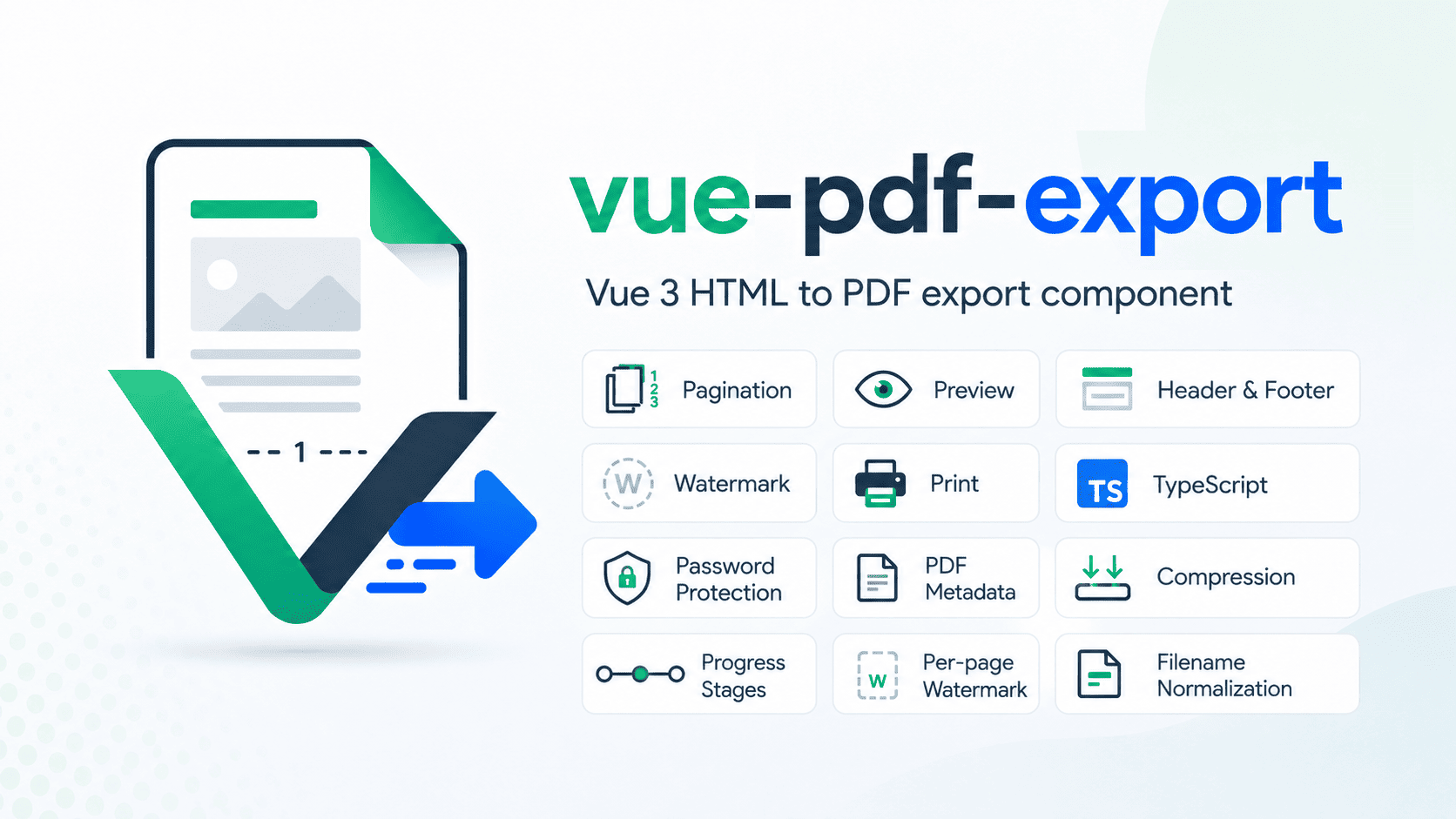
A Vue + TypeScript HTML-to-PDF component and composable for browser applications.
vue-pdf-export supports two rendering modes:
- Canvas mode - maximum HTML/CSS visual fidelity through
html2pdf.js+html2canvas+jsPDF. - Selectable text mode - browser-side vector PDF rendering with real selectable/searchable/copyable text, clickable PDF links, password protection, metadata, compression, page-aware headers/footers, and watermarks.
It also includes manual and automatic pagination, preview, download, print, export-only page/body styling, data-pdf-ignore, custom export CSS, external print stylesheets, forced light/dark themes, width auto-fit, safe filename normalization, progress stages, custom loaders, generation metrics, current-page progress, cancellation, page targeting, PDF permissions, SSR-safe imports, large-document optimizations, and advanced renderer configuration.
Default package behavior remains
renderMode="canvas"for backwards compatibility. The live playground may choose a different default for demonstration purposes.
Highlights
- Browser-side PDF generation with no package-managed upload service
- Canvas and selectable-text rendering
- Blob, ArrayBuffer, raw Base64, and PDF data-URL output helpers
- Incremental page-by-page Canvas rendering when page-break markers are present
- Cooperative cancellation for long-running exports
- Page-aware progress with
currentPage/totalPages - Repeated-image caching in selectable-text rendering
- Temporary DOM/canvas cleanup between expensive rendering steps
- Password protection, owner password, PDF permission flags, metadata, and compression
- Headers, footers, logos, watermarks, page targeting, and clickable links
- Automated regression coverage for 10 / 25 / 50 / 100-page documents
- Large-document validation across 5 / 10 / 25 / 50 / 100 / 200 / 500 / 1000-page stress scenarios
- Export-only page/body styling without mutating the visible Vue DOM
data-pdf-ignorefor screen-only UI that must stay out of generated PDFs- Per-page styling callbacks, scoped CSS injection, external print stylesheets, forced themes, and width auto-fit
- Opt-in total/stage/per-page generation timing metrics
- SSR-safe package imports with Nuxt 3 and Nuxt 4 fixture coverage
Documentation
- Live Demo
- Features
- Installation
- Import
- Quick Start
- Rendering Modes
- Component Registration
- Preview & Download
- Pagination
- Exclude Content from PDF
- PDF Styling
- Clickable PDF Links
- Header
- Footer
- Security
- Metadata
- Compression
- Watermarks
- Loader & Progress
- Programmatic API
- Events
- Slots
- Core Props
- Advanced html2pdf Options
- Filename Normalization
- Full Example
- Images & CORS
- Production Guide
- Selectable Text Mode Notes
- Troubleshooting
- SSR / Nuxt
- Browser Support
- Quality & Compatibility
- TypeScript
- Community
- Acknowledgements
- License
Live Demo
Try the interactive playground:
- Live playground: vue-pdf-export-playground
The playground demonstrates:
- Canvas and selectable-text rendering modes
- Real selectable/searchable text in selectable mode
- Clickable PDF hyperlinks
- PDF preview
- Download
- Programmatic Blob, ArrayBuffer, and Base64 output
- Manual pagination
- Automatic height-based pagination
- Page-break protection helpers
- Headers and footers
- Plain-text and trusted HTML header/footer content
- Optional header/footer logos
- Custom logo sizing with preserved aspect ratio
- Header page targeting
- Page-aware selective header spacing
- Footer page numbering with
Page {n} of {total} - Selectable header/footer text in selectable mode
- Text and image watermarks
- Background and foreground watermarks
- Per-page watermark targeting
- Password-protected PDFs
- User/open and owner passwords
- Combined password parts
- PDF permissions
- PDF metadata
- PDF stream compression
- Numeric progress
- Named progress stages
- Custom loaders
- Advanced
html2pdf.js,html2canvas, andjsPDFoptions data-pdf-ignoreexport filtering- Export-only page/body backgrounds, classes, and inline style objects
- Per-page
pageStyle(context)callbacks - Scoped custom PDF CSS text
- External print stylesheet URLs
- Forced current/light/dark export themes
- Width auto-fit/scaling
- Opt-in total, stage, and per-page generation metrics
Features
Core PDF workflow
- vue component API
- Vue composable API
- TypeScript declarations
- Browser-side PDF generation
- Two rendering modes:
canvasandtext - PDF
Bloboutput - PDF
ArrayBufferoutput - Raw Base64 output
- Optional
data:application/pdf;base64,...output - PDF preview modal
- Browser download
- Programmatic print
- Blob URL cleanup
- Safe filename normalization
Rendering modes
canvas- existing html2canvas/html2pdf pipeline for strongest browser CSS fidelitytext- vector/browser-layout renderer with selectable/searchable PDF text- Default mode is
canvas - Same public
<Html2Pdf>API for both modes - Same Blob/preview/download/print flow for both modes
- Blob output can be serialized to ArrayBuffer or Base64 without a second PDF render
- Shared header/footer/watermark/metadata post-processing
- Password protection available in both modes
- Clickable links available when PDF links are enabled
Pagination and layout
- Manual pagination
- Automatic height-based pagination
- Existing
.html2pdf__page-breakmarker works with both render modes - Page-break protection helpers
- Custom
pagebreak.avoidselectors - Automatic page-break reset
- Manual breaks preserved when automatic breaks are reset
- Page-aware automatic pagination for selectively targeted headers
- Deterministic export-width support
data-pdf-ignore/data-pdf-ignore="true"removes screen-only subtrees from exportdata-pdf-ignore="false"explicitly keeps content
Export-only styling
- Master
styling.enabledswitch - Page background
- Body background
- Page/body class names
- Page/body inline style objects
- Per-page
pageStyle({ pageNumber, totalPages, orientation })callback - Export-only
cssText, scoped to the temporary export tree - External
stylesheetUrls/printStylesheetUrls - Forced
current,light, ordarkexport theme - Width auto-fit / shrink-to-fit controls
- Temporary style/theme/export-tree cleanup after generation
- Styling stays off the visible/source DOM
Headers
- Header on all pages by default when enabled
- Header targeting:
allfirstlastexcept-first- explicit page arrays
- Page-aware header spacing
- Plain-text header content
- Trusted HTML header content
- Optional logo
- Logo URL or data URL
- Custom logo width and height
- Aspect-ratio-safe logo rendering
- Header background color
- Header text color
- Selectable header text in selectable-text mode
Footers
- Footer on every page when enabled
- HTML footer mode
- Text footer mode
- Trusted HTML footer content
- Built-in page numbering
- Optional logo
- Logo URL or data URL
- Custom logo width and height
- Aspect-ratio-safe logo rendering
- Footer background color
- Footer text color
- Legacy footer compatibility
- Selectable footer text and page-number text in selectable-text mode
Security and document options
- User/open password
- Owner password
- Password parts
- Configurable PDF permissions
- Password protection in both render modes
- PDF metadata
- PDF stream compression
Watermarks
- Text watermarks
- Image watermarks
- Background layer
- Foreground layer
- Single mode
- Repeated/tiled mode
- Per-page targeting
- Opacity
- Rotation
- Position
- Sizing
- Horizontal/vertical spacing
Links
- Real PDF link annotations
<a href="...">support- Clickable links in generated PDFs when links are enabled
- Link rectangles follow pagination in selectable-text mode
- Link text remains selectable in selectable-text mode
Developer experience
- Built-in loader
- Custom loader slot
- Numeric progress event
- Named progress stages
- CORS-aware image handling
- Advanced html2pdf configuration
- Filename sanitization
- Cross-browser validation across Chromium, Firefox, and WebKit
- Opt-in generation metrics with total/stage/per-page timings
- SSR-safe root imports
- Nuxt 3 and Nuxt 4 SSR compatibility validation
- Public output serializers for Blob → ArrayBuffer / Base64 conversion
Installation
npm install vue-pdf-export
Runtime PDF dependencies are installed automatically.
Import
TypeScript:
import {
  Html2Pdf,
  type PdfMetadataOptions,
  type PdfProgressState,
  type PdfRenderMode,
  type PdfSecurityOptions,
  type PdfStylingOptions,
  type PdfStyle,
  type PdfPageContext,
  type PdfGenerationMetrics,
  type WatermarkOptions,
} from 'vue-pdf-export'

import 'vue-pdf-export/style.css'
JavaScript:
import { Html2Pdf } from 'vue-pdf-export'
import 'vue-pdf-export/style.css'
Quick Start
<script setup lang="ts">
import { ref } from 'vue'
import { Html2Pdf } from 'vue-pdf-export'
import 'vue-pdf-export/style.css'

const pdfRef = ref<InstanceType<typeof Html2Pdf> | null>(null)

async function generatePdf() {
  const blob = await pdfRef.value?.generatePdf()
  console.log(blob)
}
</script>

<template>
  <button type="button" @click="generatePdf">Generate PDF</button>

  <Html2Pdf
    ref="pdfRef"
    filename="my-report"
    render-mode="canvas"
    :manual-pagination="true"
    :enable-download="true"
  >
    <template #pdf-content>
      <div>
        <div class="vpe-reference-logo">My Report</div>
        <button data-pdf-ignore>Visible in the app, excluded from the PDF</button>
        <p>This content will be rendered into the PDF.</p>
      </div>
    </template>
  </Html2Pdf>
</template>
Rendering Modes
Canvas mode
Canvas mode is the default and uses the package's existing html2pdf.js / html2canvas / jsPDF pipeline.
<Html2Pdf render-mode="canvas" />
Use it when the highest possible browser CSS fidelity is more important than selectable body text.
Best for:
- complex CSS
- gradients
- shadows
- transforms
- custom web fonts
- visual dashboards
- designs where browser appearance is the priority
Body content is rasterized, so normal body text is not selectable/searchable.
Incremental Canvas rendering
When the export DOM contains .html2pdf__page-break markers, Canvas mode uses an incremental page-by-page renderer instead of capturing the entire document as one giant canvas.
This path:
- clones and renders one logical PDF page at a time
- keeps raster dimensions page-bounded
- releases temporary page DOM after
html2canvasfinishes reading it - releases canvas backing stores after insertion into jsPDF
- reports page-level progress
- yields to the browser between expensive steps
- supports cooperative cancellation before the next page begins
Canvas documents without page-break markers keep the legacy html2pdf.js worker for backwards compatibility.
Selectable text mode
<Html2Pdf render-mode="text" />
Selectable text mode converts the live browser layout into PDF vector/text operations instead of turning the entire document into a screenshot.
It supports:
- selectable body text
- searchable body text
- copyable body text
- selectable header/footer text
- selectable footer page numbers
- clickable PDF hyperlinks
- images
- backgrounds
- borders
- basic border radius
- text color, weight, italic, decoration, alignment, and spacing
- multi-page output
- manual page-break markers
- PDF password protection
- PDF permissions
- metadata
- compression
- headers, footers, and watermarks
Example:
<Html2Pdf render-mode="text" :security="security" :metadata="metadata" :compress="true">

  <template #pdf-content>
    <main>
      <div class="vpe-reference-logo">Selectable report</div>
      <p>You can select and search this text in the generated PDF.</p>

      <a href="https://www.npmjs.com/package/vue-pdf-export">
        Open vue-pdf-export on npm
      </a>
    </main>
  </template>
</Html2Pdf>
Selectable-text mode intentionally favors real PDF text over pixel-perfect parity with every browser CSS feature. See Selectable Text Mode Notes.
Component Registration
Local import - recommended
With <script setup>:
<script setup lang="ts">
import { Html2Pdf } from 'vue-pdf-export'
import 'vue-pdf-export/style.css'
</script>
No components registration is required.
Options API
<script lang="ts">
import { defineComponent } from 'vue'
import { Html2Pdf } from 'vue-pdf-export'
import 'vue-pdf-export/style.css'

export default defineComponent({
  components: {
    Html2Pdf,
  },
})
</script>
Global registration
import { createApp } from 'vue'
import App from './App.vue'
import { Html2Pdf } from 'vue-pdf-export'
import 'vue-pdf-export/style.css'

const app = createApp(App)

app.component('Html2Pdf', Html2Pdf)
app.mount('#app')
Preview & Download
Preview only:
<Html2Pdf :enable-download="false" :preview-modal="true" />
Download only:
<Html2Pdf :enable-download="true" :preview-modal="false" />
Download and preview:
<Html2Pdf :enable-download="true" :preview-modal="true" />
enableDownload and previewModal are independent.
await pdfRef.value?.print()
Print reuses the generated PDF result and opens the browser's native print flow through a temporary same-page iframe. It does not require a popup/new tab, and the temporary print iframe is cleaned up after the print lifecycle.
Browser print dialogs and print lifecycle details are still controlled by the browser/OS.
Pagination
Manual pagination
<Html2Pdf :manual-pagination="true">
  <template #pdf-content>
    <section>Page one</section>

    <div class="html2pdf__page-break"></div>

    <section>Page two</section>
  </template>
</Html2Pdf>
Recommended helper CSS:
.html2pdf__page-break {
  display: block;
  height: 0;
  clear: both;
}
Do not add break-before or page-break-before to this helper while legacy page-break mode is active. Doing so can create duplicate breaks or blank pages.
The same .html2pdf__page-break marker is recognized by selectable-text mode, so consumers do not need a second pagination API.
Automatic pagination
<Html2Pdf :manual-pagination="false" :paginate-elements-by-height="1100">

  <template #pdf-content>
    <div>
      <section>Block 1</section>
      <section>Block 2</section>
      <section>Block 3</section>
    </div>
  </template>
</Html2Pdf>
The component measures direct child elements and inserts temporary automatic page-break markers when the configured height would be exceeded.
Prevent content from splitting
Default protected selectors:
.pdf-keep-together
.pdf-no-break
img
Example:
<div class="pdf-keep-together">
  <h2>Invoice Summary</h2>
  <p>Keep this block together.</p>
</div>
You can extend page-break avoidance:
<Html2Pdf
  :html-to-pdf-options="{
    pagebreak: {
      avoid: ['.custom-card'],
    },
  }"
/>
Your selectors are merged with package defaults.
No-break helpers are best-effort. A block that is taller than the usable PDF page area may still need to split.
Exclude Content from PDF
Use data-pdf-ignore for controls, helper UI, debug panels, buttons, or any subtree that should stay visible in the application but must not be included in the generated PDF.
<div>
  <div class="vpe-reference-logo">Invoice</div>

  <button data-pdf-ignore>
    Edit invoice
  </button>

  <aside data-pdf-ignore="true">
    This entire subtree is excluded from the PDF.
  </aside>

  <p data-pdf-ignore="false">
    Explicit false keeps this content in the PDF.
  </p>
</div>
Semantics:
| Markup | PDF behavior |
|---|---|
data-pdf-ignore | excluded |
data-pdf-ignore="true" | excluded |
data-pdf-ignore="false" | included |
The visible/source Vue DOM is not hidden or removed. Filtering is performed on the temporary export tree. Ignored content is also excluded from export pagination measurements.
For Vue bindings:
<button :data-pdf-ignore="hideActionInPdf">
  App action
</button>
When the value is false, the element remains in the PDF.
PDF Styling
Use the styling object when the generated PDF needs presentation rules that should not change the visible application.
import type {
  PdfPageContext,
  PdfStyle,
  PdfStylingOptions,
} from 'vue-pdf-export'

const bodyStyle: PdfStyle = {
  padding: '16px',
  fontSize: '14px',
  color: '#17324A',
}

const styling: PdfStylingOptions = {
  enabled: true,

  pageBackground: '#FFF8E7',
  bodyBackground: '#F8FAFC',

  pageClass: 'invoice-page',
  bodyClass: 'invoice-body',

  pageStyle: ({ pageNumber }: PdfPageContext) => ({
    padding: '24px',
    border: '2px solid #DCE7E9',
    borderRadius: '12px',
    backgroundColor: pageNumber === 1 ? '#FFF7ED' : '#FFFFFF',
  }),

  bodyStyle,

  cssText: `
    .invoice-title {
      font-size: 28px;
      letter-spacing: -0.02em;
    }

    .screen-only {
      display: none;
    }
  `,

  printStylesheetUrls: [
    '/pdf/invoice-print.css',
  ],

  theme: 'light',

  autoFit: {
    enabled: true,
    minScale: 0.6,
    maxScale: 1,
    allowUpscale: false,
  },
}
<Html2Pdf :styling="styling">
  <template #pdf-content>
    <article>
      <h1 class="invoice-title">Invoice</div>
      <button class="screen-only">Application action</button>
    </article>
  </template>
</Html2Pdf>
Styling master switch
const styling: PdfStylingOptions = {
  enabled: false,
}
When enabled is explicitly false, Step 8 styling is not passed into PDF generation.
Page and body styling
The object supports:
| Option | Type | Purpose |
|---|---|---|
enabled | boolean | Master styling switch. |
pageBackground | string | PDF page surface background. |
bodyBackground | string | Inner body/content surface background. |
pageClass | string | Export-only page class names. |
bodyClass | string | Export-only body class names. |
pageStyle | PdfStyle | PdfStyleResolver | Static or per-page page styles. |
bodyStyle | PdfStyle | Static body styles. |
cssText | string | Export-only scoped CSS text. |
stylesheetUrls | string[] | External export stylesheet URLs. |
printStylesheetUrls | string[] | External print/export stylesheet URLs. |
theme | 'current' | 'light' | 'dark' | Export theme. |
autoFit | boolean | PdfAutoFitOptions | Width auto-fit/shrink behavior. |
Per-page style callback
const styling: PdfStylingOptions = {
  enabled: true,

  pageStyle: ({ pageNumber, totalPages, orientation }) => ({
    padding: '24px',
    border: '1px solid #DCE7E9',
    backgroundColor:
      pageNumber === 1
        ? '#FFF7ED'
        : pageNumber === totalPages
          ? '#F0FDF4'
          : '#FFFFFF',
  }),
}
Paint properties can vary per page. Keep layout-changing values such as page padding/border width consistent across pages so pagination geometry remains predictable.
Custom CSS text
cssText is scoped to the temporary export tree rather than being installed as global application CSS.
const styling: PdfStylingOptions = {
  enabled: true,

  cssText: `
    .invoice-total {
      font-size: 24px;
      font-weight: 800;
    }
  `,
}
The temporary style element is removed after generation.
External print stylesheets
const styling: PdfStylingOptions = {
  enabled: true,

  printStylesheetUrls: [
    '/pdf/base.css',
    'https://cdn.example.com/invoice-print.css',
  ],
}
Browser fetch/CORS rules apply to remote stylesheets. Relative url(...) values are rebased against the stylesheet URL. Nested @import rules are intentionally skipped; list imported stylesheets separately.
Forced theme
const styling: PdfStylingOptions = {
  enabled: true,
  theme: 'dark',
}
Supported values:
current
light
dark
Theme markers exist only on the export tree.
Auto-fit / scaling
const styling: PdfStylingOptions = {
  enabled: true,

  autoFit: {
    enabled: true,
    minScale: 0.6,
    maxScale: 1,
    allowUpscale: false,
  },
}
Auto-fit is designed primarily to shrink horizontally overflowing content into the available export width. It does not upscale unless allowUpscale is explicitly enabled.
Styling cleanup and SSR
The package does not touch browser globals at module import time. Temporary export trees, scoped style elements, theme markers, and styling attributes are removed after generation.
Root imports are SSR-safe; actual PDF generation remains browser-only.
Clickable PDF Links
Enable PDF links through htmlToPdfOptions.enableLinks:
const htmlToPdfOptions = {
  enableLinks: true,
}
<Html2Pdf :html-to-pdf-options="htmlToPdfOptions">
  <template #pdf-content>
    <a href="https://www.npmjs.com/package/vue-pdf-export">
      Open vue-pdf-export on npm
    </a>
  </template>
</Html2Pdf>
In selectable-text mode, anchors are converted into real PDF link annotations, so compatible PDF viewers can show the link cursor and open the URL when clicked.
For best selectable-text rendering, keep PDF link styling straightforward. Very large letter-spacing, transforms, or highly compressed fixed-width buttons can create visual differences because browser and PDF font metrics are not identical.
Recommended PDF-friendly link CSS:
.pdf-link {
  display: inline-flex;
  align-items: center;
  width: auto;
  max-width: 100%;
  padding: 8px 12px;
  font-weight: 700;
  line-height: 1.2;
  letter-spacing: 0;
  white-space: nowrap;
  text-decoration: underline;
}
Header
Basic header
<Html2Pdf
  :inject-header="true"
  :header-height="58"
  header-text="My Company"
  :header-logo-enabled="true"
  header-logo-url="/logo.png"
  :header-logo-width="120"
  :header-logo-height="32"
  header-background-color="#F8F9FA"
  header-text-color="#5F6368"
/>
Header text
<Html2Pdf :inject-header="true" header-text="Quarterly Report" />
In selectable-text mode, plain header text is added as real PDF text and remains selectable/searchable.
Header HTML
Use headerHtml for trusted developer-controlled markup:
<Html2Pdf
  :inject-header="true"
  header-html="<strong>Quarterly <span style='color:#13B981'>Report</span></strong>"
/>
When headerHtml is non-empty, it takes precedence over headerText.
headerHtmlis intentionally trusted HTML. Do not pass unsanitized user input.
Selectable-text mode preserves common inline header styling such as color, bold, italic, and basic font-size changes while keeping the text selectable. Complex nested layout/CSS may still be simplified; use canvas mode when exact rich-HTML header fidelity is more important than text selection.
Optional header logo
Header logos are enabled by default.
<Html2Pdf :inject-header="true" :header-logo-enabled="false" header-text="Text-only header" />
The header itself remains enabled.
Header logo sizing
<Html2Pdf
  :inject-header="true"
  header-logo-url="/wide-logo.png"
  :header-logo-width="160"
  :header-logo-height="36"
/>
headerLogoWidth and headerLogoHeight define the maximum logo box. The original image aspect ratio is preserved.
Default logo box:
28 × 28 CSS pixels
Header page targeting
First page:
<Html2Pdf :inject-header="true" header-pages="first" />
Last page:
<Html2Pdf :inject-header="true" header-pages="last" />
Skip first:
<Html2Pdf :inject-header="true" header-pages="except-first" />
Explicit pages:
<Html2Pdf :inject-header="true" :header-pages="[1, 3, 5]" />
Supported type:
type PdfPageTarget = 'all' | 'first' | 'last' | 'except-first' | number[]
Page-aware header spacing
Selective headers reserve header space only on pages that actually receive the header.
header-pages="first"

Page 1 -> header + header space
Page 2 -> no header + no extra header space
Page 3 -> no header + no extra header space
Automatic pagination also accounts for this selective spacing.
Any top margin explicitly supplied through htmlToPdfOptions.margin remains independent and is not removed.
Header props
| Prop | Type | Default | Description |
|---|---|---|---|
injectHeader | boolean | false | Enable header rendering. |
headerHeight | number | 58 | Header height in the current jsPDF unit. |
headerText | string | '' | Plain-text header content. |
headerHtml | string | '' | Trusted HTML header content; takes precedence over headerText. |
headerLogoEnabled | boolean | true | Show/hide the header logo. |
headerLogoUrl | string | '' | Logo URL. |
headerLogoDataUrl | string | '' | Logo data URL/base64. |
headerLogoWidth | number | 28 | Maximum logo width in CSS pixels. |
headerLogoHeight | number | 28 | Maximum logo height in CSS pixels. |
headerBackgroundColor | string | #F8F9FA | Header background. |
headerTextColor | string | #5F6368 | Header text/fallback color. |
headerPages | PdfPageTarget | all-page behavior | Header page targeting. |
Footer
Basic footer
<Html2Pdf
  :inject-footer="true"
  :footer-height="58"
  footer-mode="html"
  footer-text="My Company"
  footer-template="Page {n} of {total}"
/>
If injectFooter is false, the package does not reserve footer-specific bottom space. Any explicit bottom margin supplied through htmlToPdfOptions.margin remains.
HTML footer
<Html2Pdf
  :inject-footer="true"
  footer-mode="html"
  footer-html="<strong>My Company</strong>"
  footer-template="Page {n} of {total}"
/>
When footerHtml is non-empty in HTML mode, it takes precedence over footerText.
footerHtmlis intentionally trusted HTML. Do not pass unsanitized user input.
In selectable-text mode, common inline footer styling such as color, bold, italic, and basic font-size changes is preserved as selectable PDF text where supported. Complex HTML layout may be simplified.
Text footer
<Html2Pdf
  :inject-footer="true"
  footer-mode="text"
  footer-text="My Company"
  footer-template="Page {n} of {total}"
/>
In selectable-text mode, footer text and the page-number template are emitted as selectable PDF text.
Optional footer logo
Footer logos are enabled by default.
<Html2Pdf
  :inject-footer="true"
  :footer-logo-enabled="false"
  footer-mode="text"
  footer-text="Text-only footer"
/>
Footer logo sizing
<Html2Pdf
  :inject-footer="true"
  :footer-logo-enabled="true"
  footer-logo-url="/wide-logo.png"
  :footer-logo-width="150"
  :footer-logo-height="30"
/>
The logo keeps its original aspect ratio.
Default logo box:
26 × 26 CSS pixels
Footer page numbering
Supported placeholders:
{n}
{total}
Example:
Page {n} of {total}
Output:
Page 2 of 5
The footer template is the package's built-in page-numbering mechanism. There is no separate dedicated page-numbering API.
Deprecated footer compatibility
The old prop remains supported:
<Html2Pdf :use-footer-component="true" />
Prefer:
<Html2Pdf footer-mode="html" />
or:
<Html2Pdf footer-mode="text" />
When footerMode is explicitly provided, it takes priority over useFooterComponent.
Footer props
| Prop | Type | Default | Description |
|---|---|---|---|
injectFooter | boolean | false | Enable footer rendering. |
footerHeight | number | 58 | Footer height in the current jsPDF unit. |
footerMode | `'html' \ | 'text'` | compatibility-resolved |
footerText | string | '' | Plain-text footer content / HTML-mode fallback. |
footerHtml | string | '' | Trusted HTML footer content. |
footerTemplate | string | Page {n} of {total} | Page number/footer template. |
footerLogoEnabled | boolean | true | Show/hide footer logo. |
footerLogoUrl | string | '' | Logo URL. |
footerLogoDataUrl | string | '' | Logo data URL/base64. |
footerLogoWidth | number | 26 | Maximum logo width in CSS pixels. |
footerLogoHeight | number | 26 | Maximum logo height in CSS pixels. |
footerBackgroundColor | string | #F8F9FA | Footer background. |
footerTextColor | string | #5F6368 | Footer text/fallback color. |
useFooterComponent | boolean | true | Deprecated compatibility option. |
Security
Create password-protected PDFs with the security prop.
import type { PdfSecurityOptions } from 'vue-pdf-export'

const security: PdfSecurityOptions = {
  enabled: true,
  userPassword: 'open123',
  ownerPassword: 'owner456',
  permissions: ['print', 'copy'],
}
<Html2Pdf :security="security" />
Password protection works in both canvas and selectable-text render modes.
Permission flags
type PdfPermission = 'print' | 'modify' | 'copy' | 'annot-forms'
| Permission | What it allows |
|---|---|
print | Allows printing when the PDF viewer enforces document permissions. |
copy | Allows text/content copying and extraction when the viewer enforces permissions. |
modify | Allows document modification/editing when supported by the viewer. |
annot-forms | Allows annotations and form-related changes when supported by the viewer. |
PDF permission enforcement depends on the PDF viewer. Password encryption is part of the PDF itself, while permission flags rely on viewer compliance.
Security guidance
The package can generate encrypted/password-protected PDFs, but PDF security should be treated as one layer of application security rather than a replacement for access control.
Important boundaries:
- User/open password controls opening an encrypted PDF.
- Owner password is used by the PDF encryption layer for owner-level access/permission configuration.
- Permission flags are viewer-dependent. Some PDF viewers may not enforce them identically.
headerHtmlandfooterHtmlare intentionally trusted developer HTML. Do not pass unsanitized user-controlled HTML.- Remote images are fetched by the browser. Use trusted origins, correct CORS headers, and avoid exposing secrets in image URLs.
- Passwords exist in browser memory while a PDF is being generated. Do not hard-code sensitive production passwords into public frontend source.
- Generated Blob URLs are cleaned up by the component/composable lifecycle, but applications should still avoid retaining generated Blobs longer than necessary.
vue-pdf-export is a client-side library and does not require a package-operated server to generate a PDF. Your application, remote assets, analytics, and surrounding infrastructure may still perform their own network requests.
Password parts
const security = {
  enabled: true,
  passwordParts: ['15081999', 4821],
  passwordSeparator: '-',
}
This creates one final open password:
15081999-4821
passwordParts do not create multiple independent passwords.
When security is omitted, compatible raw htmlToPdfOptions.jsPDF.encryption values are preserved.
When security.enabled is explicitly false, encryption is removed.
Metadata
import type { PdfMetadataOptions } from 'vue-pdf-export'

const metadata: PdfMetadataOptions = {
  title: 'Invoice #1024',
  author: 'Acme Inc.',
  subject: 'Customer invoice',
  keywords: ['invoice', '2026'],
  creator: 'vue-pdf-export',
}
<Html2Pdf :metadata="metadata" />
Metadata is written to PDF document properties and is not rendered as normal visible page content.
The direct metadata prop takes priority over htmlToPdfOptions.metadata.
Compression
<Html2Pdf :compress="true" />
compress controls jsPDF stream compression.
It does not lower html2canvas resolution or JPEG image quality.
If omitted, compatible raw htmlToPdfOptions.jsPDF.compress is preserved.
Watermarks
Text watermark
import type { WatermarkOptions } from 'vue-pdf-export'

const watermark: WatermarkOptions = {
  enabled: true,
  layer: 'background',
  type: 'text',
  mode: 'repeat',
  text: 'CONFIDENTIAL',
  opacity: 0.1,
  rotation: -35,
  fontSize: 36,
  gapX: 100,
  gapY: 90,
}
<Html2Pdf :watermark="watermark" />
Foreground watermark
const watermark = {
  enabled: true,
  layer: 'foreground',
  type: 'text',
  mode: 'single',
  text: 'DRAFT',
  opacity: 0.15,
  rotation: -30,
  fontSize: 60,
  x: 0.5,
  y: 0.5,
}
Foreground watermarks are drawn onto final PDF pages with jsPDF.
Image watermark
const watermark = {
  enabled: true,
  layer: 'foreground',
  type: 'image',
  mode: 'single',
  imageUrl: '/logo.png',
  opacity: 0.1,
  rotation: -25,
  width: 180,
  x: 0.5,
  y: 0.5,
}
A data URL can also be used:
const watermark = {
  enabled: true,
  type: 'image',
  imageDataUrl: 'data:image/png;base64,...',
}
imageDataUrl takes priority over imageUrl.
Per-page watermark targeting
const watermark = {
  enabled: true,
  type: 'text',
  text: 'INTERNAL',
  pages: 'except-first',
}
Explicit pages:
const watermark = {
  enabled: true,
  text: 'INTERNAL',
  pages: [1, 3, 5],
}
Supported targets:
all
first
last
except-first
number[]
For selective targeting, a requested background watermark may be applied during final PDF post-processing so selected-page behavior can be preserved.
Watermark options
| Option | Type | Description |
|---|---|---|
enabled | boolean | Enable/disable watermark. |
type | `'text' \ | 'image'` |
layer | `'background' \ | 'foreground'` |
mode | `'single' \ | 'repeat'` |
text | string | Text content. |
fontSize | number | Text size. |
fontFamily | string | Font family. |
fontWeight | `string \ | number` |
fontStyle | `'normal' \ | 'bold' \ |
color | string | Watermark color. |
imageUrl | string | Image URL. |
imageDataUrl | string | Data URL/base64 image. |
width | number | Image width. |
height | number | Optional image height. |
opacity | number | Clamped to 0..1. |
rotation | number | Rotation in degrees. |
x | number | Horizontal position. |
y | number | Vertical position. |
gapX | number | Horizontal repeat gap. |
gapY | number | Vertical repeat gap. |
pages | PdfPageTarget | Target pages. |
Loader & Progress
Built-in loader
<Html2Pdf :show-loader="true" loader-text="Generating PDF..." />
Disable it:
<Html2Pdf :show-loader="false" />
Numeric progress
<Html2Pdf @progress="onProgress" />
function onProgress(value: number) {
  console.log(value)
}
This is generation-stage progress, not byte-level network progress.
Rich progress stages
<Html2Pdf @progress-stage="onProgressStage" />
import type { PdfProgressState } from 'vue-pdf-export'

function onProgressStage(state: PdfProgressState) {
  console.log(state.stage, state.progress)
}
Current stages:
idle

pagination

images

preparing

rendering

watermark

header

footer

metadata

serializing

complete

error
Custom loader
<Html2Pdf>
  <template #loader="{ progress, loading, stage, progressState }">
    <div v-if="loading">
      {{ stage }} - {{ progress }}%
    </div>
  </template>
</Html2Pdf>
Slot values:
| Value | Type |
|---|---|
progress | number |
loading | boolean |
stage | PdfProgressStage |
progressState | PdfProgressState |
Generation metrics
Generation metrics are opt-in. When disabled, the metrics collector and metrics UI/events should not add generation work.
A completed generation can expose:
- total generation time
- stage timings
- per-page timings
- render mode
- page count
- generated Blob size
The result shape includes optional metrics:
interface GeneratePdfResult {
  pdf: jsPDF
  blob: Blob
  url: string
  metrics?: PdfGenerationMetrics
}
Use metrics for profiling/regression checks rather than as a hard real-time performance guarantee.
Enable metrics on the component:
<Html2Pdf
  :collect-metrics="true"
  @generation-complete="onGenerationComplete"
/>
import type { PdfGenerationCompletePayload } from 'vue-pdf-export'

function onGenerationComplete(payload: PdfGenerationCompletePayload) {
  console.log(payload.metrics)
}
In selectable-text mode, the first page timing can include renderer startup work performed before the first page-complete callback, such as DOM snapshot/layout preparation and initial image materialization. Later page timings are usually closer to pure page drawing time.
Programmatic API
Component methods:
interface Html2PdfInstance {
  generatePdf: () => Promise<Blob>
  generatePdfArrayBuffer: () => Promise<ArrayBuffer>
  generatePdfBase64: (options?: PdfBase64Options) => Promise<string>
  print: () => Promise<void>
  closePreview: () => void
  resetPagination: () => void
  cancelGeneration: () => void
}
Recommended ref:
const pdfRef = ref<InstanceType<typeof Html2Pdf> | null>(null)
Generate Blob
const blob = await pdfRef.value?.generatePdf()
Blob remains the recommended default for downloads, previews, object URLs, and very large PDFs.
Generate ArrayBuffer
const arrayBuffer = await pdfRef.value?.generatePdfArrayBuffer()
Use ArrayBuffer when you need raw PDF bytes for binary APIs, workers, storage, cryptographic processing, or transport layers that accept binary data.
Generate Base64
Raw Base64:
const base64 = await pdfRef.value?.generatePdfBase64()
PDF data URL:
const dataUrl = await pdfRef.value?.generatePdfBase64({
  dataUrl: true,
})
Base64 is convenient for string-only transports, but it is larger than the original binary payload and requires additional conversion memory. Prefer Blob or ArrayBuffer for large PDFs.
The ArrayBuffer and Base64 methods reuse the normal PDF generation flow and serialize the generated Blob. They do not run a second PDF renderer.
For pure programmatic output, disable automatic browser-side download/preview with
:enable-download="false"and:preview-modal="false".
await pdfRef.value?.print()
Close preview
pdfRef.value?.closePreview()
Reset automatic pagination
pdfRef.value?.resetPagination()
This removes only automatically inserted page breaks.
Cancel active generation
pdfRef.value?.cancelGeneration()
cancelGeneration() requests cooperative cancellation of the current export.
- Incremental Canvas rendering checks cancellation around page capture, encoding, insertion, and browser-yield points.
- Selectable-text rendering checks cancellation while walking the DOM, materializing images, paginating, and rendering pages.
- Synchronous browser/jsPDF work such as an already-running
toDataURL()or finalpdf.output('blob')call cannot be interrupted in the middle; cancellation takes effect at the next safe checkpoint. - Cancellation is treated as an expected abort flow and is not emitted as the component's normal
errorevent.
Composable
import { useHtml2Pdf } from 'vue-pdf-export'

const {
  loading,
  progress,
  stage,
  progressState,
  error,
  pdfUrl,
  lastResult,
  generate,
  download,
  print,
  cleanup,
} = useHtml2Pdf()
Output serialization helpers
For advanced workflows, the package also exports serializers that operate on already-generated PDF output:
import {
  pdfBlobToArrayBuffer,
  pdfBlobToBase64,
  serializePdfOutput,
} from 'vue-pdf-export'
const arrayBuffer = await pdfBlobToArrayBuffer(blob)

const rawBase64 = await pdfBlobToBase64(blob)

const dataUrl = await pdfBlobToBase64(blob, {
  dataUrl: true,
})
serializePdfOutput(result, format) accepts:
type PdfOutputFormat = 'blob' | 'arraybuffer' | 'base64'
These helpers serialize existing output and do not re-render the document.
Events
<Html2Pdf
  @progress="onProgress"
  @progress-stage="onProgressStage"
  @startPagination="onStartPagination"
  @hasPaginated="onPaginated"
  @beforeDownload="onBeforeDownload"
  @hasDownloaded="onDownloaded"
  @generation-complete="onGenerationComplete"
  @closed="onClosed"
  @error="onError"
/>
| Event | Payload | Description |
|---|---|---|
progress | number | Numeric generation progress. |
progressStage / @progress-stage | PdfProgressState | Named stage and progress. |
startPagination | none | Pagination started. |
hasPaginated | none | Pagination completed. |
beforeDownload | BeforeDownloadPayload | Emitted before generation. |
hasDownloaded | Blob | Generated Blob is available. |
generationComplete / @generation-complete | PdfGenerationCompletePayload | Generation finished; includes opt-in metrics when enabled. |
closed | none | Preview/generation flow closed. |
error | Error | Generation or print error. |
Slots
| Slot | Required | Description |
|---|---|---|
pdf-content | yes | HTML converted to PDF. |
loader | no | Custom loader with { progress, loading, stage, progressState }. |
Core Props
| Prop | Type | Default | Description |
|---|---|---|---|
renderMode | `'canvas' \ | 'text'` | 'canvas' |
showLayout | boolean | false | Show export layout. |
floatLayout | boolean | false | Use fixed/floating export layout. |
enableDownload | boolean | true | Download after generation. |
previewModal | boolean | false | Show PDF preview modal. |
filename | string | timestamp fallback | PDF filename. |
pdfQuality | number | 2 | Default html2canvas scale; mainly relevant to canvas mode/images. |
pdfFormat | PDF format | 'a4' | PDF format. |
pdfOrientation | `'portrait' \ | 'landscape'` | 'portrait' |
pdfContentWidth | string | '800px' | Export wrapper width. |
htmlToPdfOptions | Html2PdfOptions | package defaults | Advanced options. |
metadata | PdfMetadataOptions | undefined | PDF metadata. |
compress | boolean | undefined | jsPDF stream compression override. |
security | PdfSecurityOptions | undefined | Password/security configuration. |
manualPagination | boolean | false | Manual pagination mode. |
paginateElementsByHeight | number | required for auto mode | Automatic page height. |
showLoader | boolean | true | Show loader. |
loaderText | string | 'Generating PDF...' | Loader text. |
watermark | WatermarkOptions | disabled | Watermark configuration. |
styling | PdfStylingOptions | undefined | Export-only page/body styling, CSS, theme and auto-fit controls. |
collectMetrics | boolean | false | Collect total/stage/per-page generation metrics. |
Header and footer props are documented in their dedicated sections.
Advanced html2pdf Options
const htmlToPdfOptions = {
  margin: [0, 0, 0, 0],
  enableLinks: true,

  pagebreak: {
    mode: ['css', 'legacy'],
  },

  image: {
    type: 'jpeg',
    quality: 1,
  },

  html2canvas: {
    scale: 3,
    useCORS: true,
    backgroundColor: '#FFFFFF',
  },

  jsPDF: {
    unit: 'px',
    format: 'a4',
    orientation: 'p',
    hotfixes: ['px_scaling'],
    optimizeForBrowser: true,
  },
}
<Html2Pdf :html-to-pdf-options="htmlToPdfOptions" />
Important precedence rules:
metadataoverrides rawhtmlToPdfOptions.metadatawhen provided.compressoverrides rawhtmlToPdfOptions.jsPDF.compresswhen provided.security.enabled: trueoverrides raw jsPDF encryption.security.enabled: falseremoves raw encryption.- Non-empty
headerHtmltakes precedence overheaderText. - In HTML footer mode, non-empty
footerHtmltakes precedence overfooterText. headerLogoEnabledcontrols only header logo visibility.footerLogoEnabledcontrols only footer logo visibility.- Explicit user margins remain even when header/footer rendering is disabled.
enableLinks: trueenables generated PDF link annotations.
Filename Normalization
import { normalizePdfFilename } from 'vue-pdf-export'

normalizePdfFilename('invoice:/customer?2026')
// invoice--customer-2026.pdf
Normalization:
- adds exactly one
.pdfextension - prevents duplicate
.pdf - sanitizes unsafe filename/path characters
- trims trailing dots and spaces
- falls back to a timestamp for empty names
- protects Windows reserved device names such as
CONandLPT1 - preserves Unicode
- limits excessively long base names
Examples:
normalizePdfFilename('report')
// report.pdf

normalizePdfFilename('report.PDF')
// report.pdf

normalizePdfFilename('CON')
// _CON.pdf

normalizePdfFilename(' ग्राहक रिपोर्ट ')
// ग्राहक रिपोर्ट.pdf
Full Example
<script setup lang="ts">
import { ref } from 'vue'

import {
  Html2Pdf,
  type PdfMetadataOptions,
  type PdfProgressState,
  type PdfSecurityOptions,
  type WatermarkOptions,
} from 'vue-pdf-export'

import 'vue-pdf-export/style.css'

const pdfRef = ref<InstanceType<typeof Html2Pdf> | null>(null)

const security: PdfSecurityOptions = {
  enabled: true,
  userPassword: 'customer-1024',
  ownerPassword: 'owner-1024',
  permissions: ['print', 'copy'],
}

const metadata: PdfMetadataOptions = {
  title: 'Invoice #1024',
  author: 'Acme Inc.',
  subject: 'Customer invoice',
  keywords: ['invoice', 'customer'],
  creator: 'vue-pdf-export',
}

const watermark: WatermarkOptions = {
  enabled: true,
  type: 'text',
  layer: 'foreground',
  mode: 'repeat',
  text: 'CONFIDENTIAL',
  opacity: 0.08,
  rotation: -30,
  pages: 'except-first',
}

const htmlToPdfOptions = {
  enableLinks: true,
}

function onProgressStage(state: PdfProgressState) {
  console.log(state.stage, state.progress)
}

async function generatePdf() {
  await pdfRef.value?.generatePdf()
}
</script>

<template>
  <button type="button" @click="generatePdf">Generate PDF</button>

  <Html2Pdf
    ref="pdfRef"
    render-mode="text"
    filename="invoice-1024"
    :enable-download="true"
    :preview-modal="true"
    :manual-pagination="true"
    :inject-header="true"
    header-text="Acme Inc."
    :header-logo-enabled="true"
    header-logo-url="/logo.png"
    :header-logo-width="120"
    :header-logo-height="30"
    header-pages="first"
    :inject-footer="true"
    footer-mode="text"
    footer-text="Acme Inc."
    footer-template="Page {n} of {total}"
    :security="security"
    :metadata="metadata"
    :compress="true"
    :watermark="watermark"
    :html-to-pdf-options="htmlToPdfOptions"
    @progress-stage="onProgressStage"
  >
    <template #pdf-content>
      <main class="pdf-root">
        <section class="pdf-keep-together">
          <div class="vpe-reference-logo">Invoice #1024</div>
          <p>This text is selectable and searchable in text mode.</p>

          <a href="https://www.npmjs.com/package/vue-pdf-export"> View package on npm </a>
        </section>

        <div class="html2pdf__page-break"></div>

        <section>
          <h2>Terms</h2>
          <p>Additional content...</p>
        </section>
      </main>
    </template>
  </Html2Pdf>
</template>

<style scoped>
.pdf-root {
  width: 794px;
  box-sizing: border-box;
}

.html2pdf__page-break {
  display: block;
  height: 0;
  clear: both;
}
</style>
Images & CORS
Remote images must be accessible to the browser during rendering.
Recommended:
html2canvas: {
  useCORS: true,
}
For external images:
- configure appropriate CORS headers
- avoid inaccessible authenticated image URLs
- prefer data URLs for critical logos when practical
- preserve image aspect ratio
Normal content image CSS:
.pdf-root img {
  max-width: 100%;
  height: auto;
  object-fit: contain;
}
Header/footer logo sizing is already aspect-ratio-safe internally. Their width and height props define maximum bounds instead of forced image dimensions.
Production Guide
Keep styling disabled when it is not needed
styling.enabled can be used as a true feature switch. If styling is off, do not create styling-only work in the export path.
Keep the outer export width deterministic
A fixed outer PDF content width gives stable pagination. Internal page sections can use width: 100% with box-sizing: border-box so their padding stays inside the export width rather than increasing it.
Use a deterministic export width
A PDF should not unexpectedly reflow because it was generated from a narrow mobile viewport.
.pdf-root {
  width: 794px;
  box-sizing: border-box;
}
Match export width and pagination to orientation
pdfOrientation changes the PDF page orientation, but your own CSS pixel widths and automatic-pagination height still need to make sense for that orientation.
For deterministic layouts, keep one stable outer export width per orientation and let internal page sections use:
.pdf-page {
  width: 100%;
  max-width: 100%;
  box-sizing: border-box;
}
Avoid giving both the outer export root and an inner padded page the same fixed pixel width; the inner padding can otherwise make the visual box wider than the export root.
If your application switches between portrait and landscape, update any application-level pdfContentWidth / paginateElementsByHeight presets accordingly.
Keep export CSS separate from responsive application CSS
The web UI and the PDF document have different layout goals.
Choose the renderer intentionally
Use canvas when exact visual fidelity is the priority.
Use text when selectable/searchable/copyable PDF text is the priority and the document uses CSS supported by the vector renderer.
Avoid large fixed heights
Prefer min-height over large fixed height values where possible.
Protect important blocks
Use .pdf-keep-together, .pdf-no-break, or carefully chosen pagebreak.avoid selectors.
Preserve image aspect ratios
img {
  max-width: 100%;
  height: auto;
  object-fit: contain;
}
Keep header/footer assets warm and reusable
Selectable-text headers/footers are drawn as PDF text/vector operations. Logo loading can still dominate the stage when an image is cold, remote, blocked by CORS, or slow to decode.
The renderer reuses a matching already-loaded browser image when possible. For consistently low latency:
- prefer same-origin or data-URL logos
- keep logo files small
- preload critical logos in the application when appropriate
- disable header/footer logos when they are not needed
Do not treat a specific header/footer millisecond value as a universal SLA; browser, device, image source, and cold-cache conditions can change it.
Keep header/footer content inside configured heights
Very large text or HTML content can overlap PDF content if it exceeds headerHeight or footerHeight.
Use trusted HTML only
headerHtml and footerHtml intentionally render developer-provided HTML.
Never pass unsanitized user-controlled content.
Keep selectable-mode link styles simple
Avoid excessive letter spacing, transforms, or tightly fixed widths for PDF links/buttons when using selectable-text mode.
Use reasonable canvas quality
Higher html2canvas scale values consume more memory and CPU.
Generate one large document at a time
Multi-page PDF generation can be CPU and memory intensive.
Provide cancellation for expensive exports
Expose cancelGeneration() in long-running workflows so users can stop an export without waiting for the entire document to finish.
Cancellation is cooperative: already-running synchronous browser/jsPDF work finishes before the next cancellation checkpoint.
Test representative content
Test:
- shortest document
- longest document
- missing fields
- very long text
- wide/square/tall logos
- remote images
- links
- manual and automatic pagination
- header/footer enabled and disabled
- logo enabled and disabled
- trusted HTML header/footer
- selective header pages
- watermark targeting
- password protection
- every permission combination important to your app
- metadata
- compression
- both render modes
Performance & Large Documents
Large client-side PDF generation is constrained by browser memory, canvas limits, image size, document complexity, encryption overhead, and the device running the page. The package therefore uses multiple strategies rather than assuming one renderer is safe for every document.
Large-document architecture
The large-document architecture includes:
- validation with 10 / 25 / 50 / 100-page representative documents
- generation-time and PDF-size measurement
- browser-memory experiments and repeated-generation testing
- isolated Canvas/jsPDF analysis to distinguish package behavior from dependency behavior
- page-by-page incremental Canvas rendering for paginated documents
- temporary DOM cleanup after page capture
- canvas backing-store release after raster insertion
- selectable-text image materialization with per-generation repeated-image caching
- cooperative browser yielding during expensive loops
- cancellation and recovery testing
- page-aware progress reporting
- long-document Playwright stress/regression coverage
- image-heavy, mixed-content, header/footer, watermark, metadata, compression, links, and security scenarios
Measured performance improvements
The performance work resulted in several measurable improvements in the benchmark fixtures:
| Area | Before | After | Improvement |
|---|---|---|---|
| HTML footer without logo | 7.82 s | 1.43 s | ~81.7% less time |
| HTML footer with logo | 11.81 s | 1.29 s | ~89.1% less time |
| Footer-heavy PDF size | ~46.7 MB | ~1.0 MB | ~97.9% smaller |
| Footer no-logo peak heap | 102.6 MB | 26.5 MB | ~74.2% lower |
| Long Canvas capture surface | ~99.96M px | ~1.74M px per page | ~98.26% smaller peak capture geometry |
These measurements come from controlled benchmark scenarios and should not be interpreted as a universal percentage improvement for every PDF.
The architectural changes behind these results include:
- rendering static HTML footers once and reusing them across pages
- page-by-page Canvas rendering for paginated documents
- releasing temporary DOM and canvas backing stores earlier
- caching repeated selectable-mode images within one generation
- yielding between expensive rendering steps
- adding cancellation and page-aware progress
Incremental Canvas strategy
For Canvas documents with .html2pdf__page-break markers, each logical page is rendered independently.
This avoids the old failure mode where a long document could become one extremely tall browser canvas. In regression testing, the incremental path restored correct 50-page and 100-page Canvas PDF output while keeping individual captures page-bounded.
The legacy whole-document html2pdf.js path is retained for Canvas documents that do not contain page-break markers.
Selectable-text image optimization
Selectable-text rendering uses a per-generation image cache for repeated real <img> sources when the source, target raster dimensions, format, and JPEG quality match.
Why the cache is intentionally per-generation:
- avoids carrying stale DOM/image state across exports
- keeps cache lifetime bounded
- prevents a global cache from becoming a long-lived memory owner
Canvas elements are not cached because their pixels may change even when their dimensions do not.
Cleanup and browser responsiveness
Long exports explicitly release temporary resources where practical:
- off-screen incremental page DOM is removed after
html2canvasno longer needs it - temporary canvas backing stores are reset after serialization/insertion
- selectable image-materialization canvases are released after encoding
- per-generation image caches are cleared after use
- rendering loops periodically yield with browser scheduling checkpoints
Yielding does not make CPU-heavy work free, but it gives the browser opportunities to process progress updates and cancellation rather than monopolizing the main thread for the entire export.
Cancellation and recovery
Both rendering modes support cooperative cancellation.
The regression suite checks that:
- an active long export can be cancelled,
- temporary rendering DOM is cleaned up,
- no successful Blob is exposed for the cancelled run, and
- a new PDF can be generated successfully afterwards.
Page progress
Page-aware renderers can report:
{
  stage: 'rendering',
  progress: number,
  currentPage?: number,
  totalPages?: number,
}
This is useful for long reports where a percentage alone does not explain what the renderer is doing.
Encrypted Canvas memory behavior
Large encrypted Canvas PDFs can retain substantially more memory than equivalent unencrypted Canvas PDFs in Chromium.
Isolation testing reproduced the severe encrypted-raster retention pattern with raw jsPDF usage, outside the Vue component lifecycle. For that reason this is tracked as an upstream/dependency concern rather than described as a confirmed Vue memory leak.
Practical guidance:
- avoid unnecessarily high Canvas scale values
- resize oversized images before PDF generation
- generate one very large document at a time
- prefer selectable-text mode when it meets the document's visual requirements
- test encrypted long documents on representative target devices
- consider splitting exceptionally large documents when browser memory is constrained
Upstream jsPDF tracking: large encrypted Canvas PDFs can show substantially higher memory retention than equivalent unencrypted Canvas PDFs in Chromium. The same encrypted-raster pattern was reproduced in a raw jsPDF-only test outside the Vue component lifecycle, so this is tracked as an upstream/dependency concern rather than described as a confirmed Vue memory leak. See jsPDF issue #4017.
Upstream tracking: jsPDF #4017 - encrypted raster PDF memory retention.
This link is included so developers using large encrypted Canvas PDFs can follow the dependency-level investigation directly.
Stress/regression coverage
| Area | Coverage |
|---|---|
| Long Canvas documents | 10 / 25 / 50 / 100-page regression fixtures |
| Heavy cross-browser smoke | Chromium plus Firefox/WebKit coverage, with the heaviest 50/100-page cases concentrated in Chromium |
| Selectable-text long documents | long multi-page rendering and cancellation/recovery |
| Image-heavy selectable mode | repeated image cache / raster-call regression |
| Image-heavy Canvas mode | page-bounded canvas regression |
| Cancellation | Canvas and selectable-text cancellation + recovery |
| Cleanup | temporary page/snapshot/fixture cleanup assertions |
| Features | headers, footers, watermarks, links, metadata, compression, security |
These results validate representative supported paths; they are not a universal guarantee that every arbitrary 100-page web document will fit every browser/device memory budget.
Recommended large-document configuration
For large Canvas reports:
<Html2Pdf render-mode="canvas" :manual-pagination="true" :pdf-quality="1.5" />
Use explicit page markers:
<div class="html2pdf__page-break"></div>
For text-heavy reports where supported CSS is sufficient:
<Html2Pdf render-mode="text" />
Selectable-text mode avoids rasterizing the entire body and can be a better fit for long text-first documents.
About documents larger than 100 pages
The normal automated regression suite verifies large-document behavior through 100-page test fixtures.
The package has also been exercised with 5 / 10 / 25 / 50 / 100 / 200 / 500 / 1000-page stress scenarios. Higher page counts are workload experiments rather than a universal guarantee that every 1000-page document will succeed on every browser/device.
This does not mean the package has a hard 100-page limit. PDF generation does not stop at page 100, and larger documents may also work successfully.
However, documents beyond the tested range depend increasingly on the actual workload, including:
- DOM size and complexity
- number and dimensions of images
- whether images are unique or repeatedly reused
- renderer choice
- browser and device memory
- headers, footers, and watermarks
- encryption and compression
- final PDF serialization cost
For very large text-first documents, renderMode="text" is generally the preferred starting point when its supported CSS is sufficient, because body text is represented as PDF text/vector operations instead of full-page raster screenshots.
For large Canvas documents, use deterministic pagination/page-break markers so the incremental renderer can keep individual Canvas captures page-bounded.
The package also provides page-aware progress and cooperative cancellation so applications can give users meaningful feedback during long exports:
Rendering page 74 of 100
Security Model & Boundaries
vue-pdf-export provides PDF security features and conservative browser-side cleanup, but no client-side PDF package can make an application "100% secure" by itself.
Verified outcomes
The final regression suite verified:
- 50-page Canvas generation
- 100-page Canvas generation
- Canvas cancellation and recovery
- selectable-text cancellation and recovery
- repeated-image caching in selectable-text mode
- page-bounded Canvas rendering in image-heavy documents
- temporary rendering cleanup after cancellation/generation
The final unit suite completed with:
35 test files passed
149 / 149 tests passed
What the package provides
- jsPDF-backed PDF encryption/password protection
- separate user/open and owner password inputs
- supported permission flags for print, modify, copy, and annotation/forms
- explicit
security.enabled: falsehandling to remove inherited raw encryption - metadata/compression processing without sending the document to a package-operated backend
- Blob URL cleanup in the component/composable lifecycle
- cancellation cleanup for temporary rendering structures
- filename normalization that removes unsafe path/filename characters and protects Windows reserved names
What remains the application's responsibility
- sanitizing any untrusted HTML before passing it to
headerHtmlorfooterHtml - protecting passwords, tokens, customer data, and remote asset URLs
- server-side authorization before sensitive data reaches the browser
- selecting CORS-safe and trusted image origins
- deciding whether client-side PDF generation is appropriate for highly sensitive documents
- validating the behavior of permission flags in the PDF viewers used by your customers
Important client-side security note
Anything available to frontend JavaScript can potentially be inspected by a user who controls that browser session. Do not treat a frontend bundle, minification, or obfuscation as a secret-storage mechanism.
Minifying the npm distribution is useful for package size and distribution hygiene, but it is not a security boundary.
Selectable Text Mode Notes
Selectable-text mode uses a browser-layout-to-vector-PDF renderer rather than html2canvas for the main body content.
What it is designed to preserve
- real PDF text
- selection/search/copy
- text line placement based on browser layout
- common font weight/style/color/alignment
- backgrounds
- borders
- images
- opacity
- overflow clipping
- multi-page layout
- clickable links
Current limitations
Some browser CSS/features are not fully reproduced in selectable-text mode, including or depending on renderer support:
- complex stacking-context /
z-indexreordering - background images and gradients
- shadows
- CSS transforms
- custom TTF/web-font embedding
- some non-WinAnsi glyphs such as CJK/emoji
- pseudo-elements such as
::before/::after - native list markers in some layouts
- RTL text
position: fixed- complex rounded clipping
- native
break-inside: avoidsemantics inside the vector renderer
For those cases, prefer renderMode="canvas".
Font metric differences
Selectable text uses PDF font metrics, which can differ slightly from browser web-font metrics. Most normal text is visually close, but highly stylized button/link text with large letter spacing or fixed widths can look different.
Header/footer text
In selectable-text mode, plain header/footer text and footer page-number text are emitted as real selectable PDF text. Complex HTML styling may be simplified to preserve selectability.
Security
Selectable-text mode supports PDF encryption because the vendored vector renderer passes the package's jsPDF constructor options at document creation time.
Troubleshooting
Selectable text is not pixel-identical to the browser
Use render-mode="canvas" for maximum CSS fidelity.
Selectable-text mode intentionally prioritizes real PDF text and vector output.
Link looks like text but is not clickable
Make sure links are enabled:
const htmlToPdfOptions = {
  enableLinks: true,
}
Also verify the source element is a real anchor with a valid href.
Link text looks stretched
Reduce large letter-spacing, transforms, and tight fixed widths in selectable-text mode.
Logo looks stretched
Header/footer logo dimensions are maximum bounds and preserve the source aspect ratio.
For normal content images:
img {
  width: auto;
  height: auto;
  max-width: 100%;
  object-fit: contain;
}
Header/footer overlaps content
Increase headerHeight / footerHeight, or reduce content size.
For selectively targeted headers, only target pages receive the extra header space. If excluded pages still have top spacing, check explicit htmlToPdfOptions.margin.
Header or footer image is missing
Check:
- URL accessibility
- CORS
- data URL validity
headerLogoEnabledfooterLogoEnabled
HTML header/footer is not visible
Check that:
- related header/footer is enabled
- HTML string is non-empty
- footer uses
footer-mode="html" - content fits inside configured height
Blank page around a manual break
Use only:
.html2pdf__page-break {
  display: block;
  height: 0;
  clear: both;
}
Do not add break-before or page-break-before to the same helper.
Background watermark is hidden
Opaque PDF content can cover a DOM background watermark.
Use a foreground watermark or transparent export content where appropriate.
PDF is blurry
In canvas mode, increase pdfQuality or htmlToPdfOptions.html2canvas.scale carefully.
Selectable-text body text remains vector text and does not depend on html2canvas resolution.
Landscape output is clipped or shifted
Check application-level export sizing in addition to pdfOrientation.
- keep the outer export width deterministic for the selected orientation
- use
width: 100%+box-sizing: border-boxfor padded internal page sections - avoid reusing a portrait-only automatic-pagination height in landscape
- verify header/footer reserved space against the shorter landscape page height
Header/footer stage is unexpectedly slow
If selectable-text header/footer timing is dominated by a logo, check whether the image is cold, remote, CORS-blocked, or failing to decode. Same-origin/data-URL assets and already-loaded images avoid unnecessary image-loading work.
A cold remote asset can still exceed 100ms; timing depends on the browser/device/network and should be measured rather than treated as a hard guarantee.
Large document generation is slow
Reduce:
- canvas scale where relevant
- image dimensions
- document complexity
- simultaneous PDF generation
Large encrypted Canvas PDFs can show substantially higher memory retention than unencrypted Canvas PDFs in Chromium. Raw jsPDF-only isolation reproduced the same encrypted-raster retention pattern outside the Vue lifecycle, so this is tracked as an upstream/dependency concern rather than described as a confirmed permanent Vue memory leak. Selectable-text mode did not show the same severe raster-memory pattern in the package benchmarks.
SSR / Nuxt
Importing vue-pdf-export during SSR is supported. PDF generation itself must run in a browser environment.
SSR/runtime compatibility has been validated for:
- Nuxt 3
- Nuxt 4
- server-side package import
- hydration
- client navigation
- lazy-loaded PDF consumers
<ClientOnly>integration- client-event composable generation
Browser-heavy PDF dependencies are lazy-loaded from the generation paths rather than being eagerly evaluated at SSR import time.
Browser Support
The package targets modern browsers supported by vue and the underlying PDF/browser APIs.
Recommended testing:
- Chromium / Chrome / Edge
- Firefox
- WebKit
- Safari when Safari is important to production users
Playwright WebKit tests the WebKit engine; it is not identical to testing the Safari application itself.
Quality & Compatibility
vue-pdf-export is validated across the package's major public workflows, including:
- Canvas and selectable-text PDF generation
- preview, download, and native browser print flows
- manual and automatic pagination
data-pdf-ignore- export-only page/body styling
- page/body backgrounds, classes, inline styles, per-page styling, custom CSS, themes, and auto-fit
- clickable PDF links
- headers, footers, logos, and page numbering
- text and image watermarks
- metadata and compression
- password protection and PDF permission flags
- progress stages, page-aware progress, and cooperative cancellation
- generation metrics
- repeated-image optimization
- large-document and memory-sensitive rendering paths
- portrait and landscape layouts
- SSR-safe imports
- Nuxt 3 and Nuxt 4 integration
- packed-package consumer validation with npm and pnpm
- public output API/source checks for Blob, ArrayBuffer, and Base64 support
- Chromium, Firefox, and WebKit browser engines
Large-document behavior depends on document complexity, image sizes, renderer choice, browser, device memory, encryption, and PDF options. Treat the documented stress results as engineering validation rather than a fixed page-count guarantee.
For application-specific production use, test representative documents in the browsers and devices that matter to your users.
TypeScript
The package ships TypeScript declarations.
Common types:
import type {
  BeforeDownloadPayload,
  FooterMode,
  FooterOptions,
  GeneratePdfResult,
  HeaderOptions,
  Html2CanvasOptions,
  Html2PdfOptions,
  Html2PdfProps,
  JsPdfOptions,
  PdfEncryptionOptions,
  PdfFormat,
  PdfImageOptions,
  PdfMargin,
  PdfMetadataOptions,
  PdfOrientation,
  PdfOutputFormat,
  PdfBase64Options,
  PdfSerializedOutput,
  PdfPageBreakOptions,
  PdfPageTarget,
  PdfPermission,
  PdfProgressStage,
  PdfProgressState,
  PdfRenderMode,
  PdfSecurityOptions,
  WatermarkLayer,
  WatermarkMode,
  WatermarkOptions,
  WatermarkType,
} from 'vue-pdf-export'
Render mode type:
export type PdfRenderMode = 'canvas' | 'text'
Useful helpers:
import {
  createPdfOptions,
  normalizePdfFilename,
  resolvePdfPages,
  pdfBlobToArrayBuffer,
  pdfBlobToBase64,
  serializePdfOutput,
} from 'vue-pdf-export'
Styling types
import type {
  PdfAutoFitOptions,
  PdfForcedTheme,
  PdfPageContext,
  PdfStyle,
  PdfStyleResolver,
  PdfStylingOptions,
} from 'vue-pdf-export'
PdfStylingOptions is the preferred object API for export-only PDF styling.
Community
The package source is currently maintained privately. This README is therefore written as consumer documentation for the published npm package rather than as a source-repository contribution guide.
You do not need repository access to install or use vue-pdf-export.
Feedback and feature requests are welcome.
- 💡 Feature requests & feedback: vue-pdf-export.canny.io
- 📦 npm: npmjs.com/package/vue-pdf-export
- 🧪 Live playground: vue-pdf-export-playground
- 📄 Documentation Link: vue-pdf-export
Acknowledgements
Selectable-text rendering in vue-pdf-export is based on and adapted from @timkozlov/html-to-pdf, created by @Canelex and released under the MIT License.
A big thank you to the author for the browser DOM-to-vector-PDF work that made real selectable/searchable text practical in this package.
Upstream project: Canelex/html-to-pdf.
vue-pdf-export vendors and adapts that renderer for integration with its own API, including areas such as jsPDF constructor options/security, existing page-break compatibility, shared PDF post-processing, and package-specific behavior. The original license notice is retained with the vendored source.
License
MIT © 2026 Saurabh Choudhary
Third-party vendored code remains subject to its original copyright and MIT license notices.
Support the project
If vue-pdf-export is useful in your project, you can support its continued development:

Support is optional. Bug reports, feedback, and feature requests are also welcome through the project feedback board.
TypeScript
Use the TypeScript declarations and public types shipped by vue-pdf-export for PDF outputs, component options, events, headers, footers and watermark configuration.
Introduction
Learn what vue-pdf-export provides for Vue applications, including Canvas and selectable-text PDF rendering, output formats, SSR safety and styling.